
Download Nokia Software Update – update, software, phone, Nokia, Windows, USB, utility, tool, device, computer
Overview
The Nokia Software Update application is a lightweight utility designed for Windows users who own Nokia mobile devices. Its primary purpose is to streamline the process of updating phone software by automating the search for the latest firmware versions. By connecting a Nokia phone via USB, users can initiate a seamless update procedure without needing to navigate complex manual steps or visit multiple websites. This tool addresses the common challenge of outdated software, which can lead to performance issues, security vulnerabilities, and missing feature support.
Target users include individuals who rely on Nokia phones and prefer a straightforward method to maintain their device’s optimal state. The app is especially beneficial for users with limited technical knowledge, as it reduces the complexity typically associated with firmware updates. While the developer, Nokia, is well-known in the mobile industry, specific details about the app’s development history or technical architecture were not provided. Real-world use cases include routine maintenance of older Nokia devices, ensuring compatibility with modern applications, and resolving known software bugs through official updates.
Within the broader app ecosystem, Nokia Software Update serves as a niche but functional tool that supports device longevity and user satisfaction. It fills a gap for legacy Nokia users who still depend on their devices and want reliable access to official updates. Although the app is no longer actively marketed, its continued availability reflects Nokia’s commitment to supporting existing users with essential tools.
Key Features & Functionality
- Automated Update Search: The app automatically scans Nokia’s official repositories to identify the most recent software versions compatible with the connected device. This eliminates the need for users to manually check update availability, saving time and reducing the risk of missing critical patches.
- Simple USB Connection: Users only need to connect their Nokia phone to a Windows computer using a standard USB cable. The application detects the device and initiates the update process without requiring additional drivers or configuration.
- User-Friendly Interface: The program features a minimalistic design with clear navigation and step-by-step prompts. Even users unfamiliar with technical processes can follow the on-screen instructions to complete an update successfully.
- Access to Latest Features: By installing official updates, users gain access to new functionalities, performance improvements, and bug fixes released by Nokia. This helps maintain device relevance and usability over time.
- Improved Device Performance: Regular updates often include optimizations that enhance battery life, responsiveness, and system stability. These improvements contribute to a smoother and more reliable user experience.
For example, a user with a Nokia 5230 could use this tool to update their phone’s firmware, resolving known issues with Bluetooth connectivity or application crashes. The process is fully guided, requiring only a USB cable and a few clicks to complete.
Interface, UX & Performance
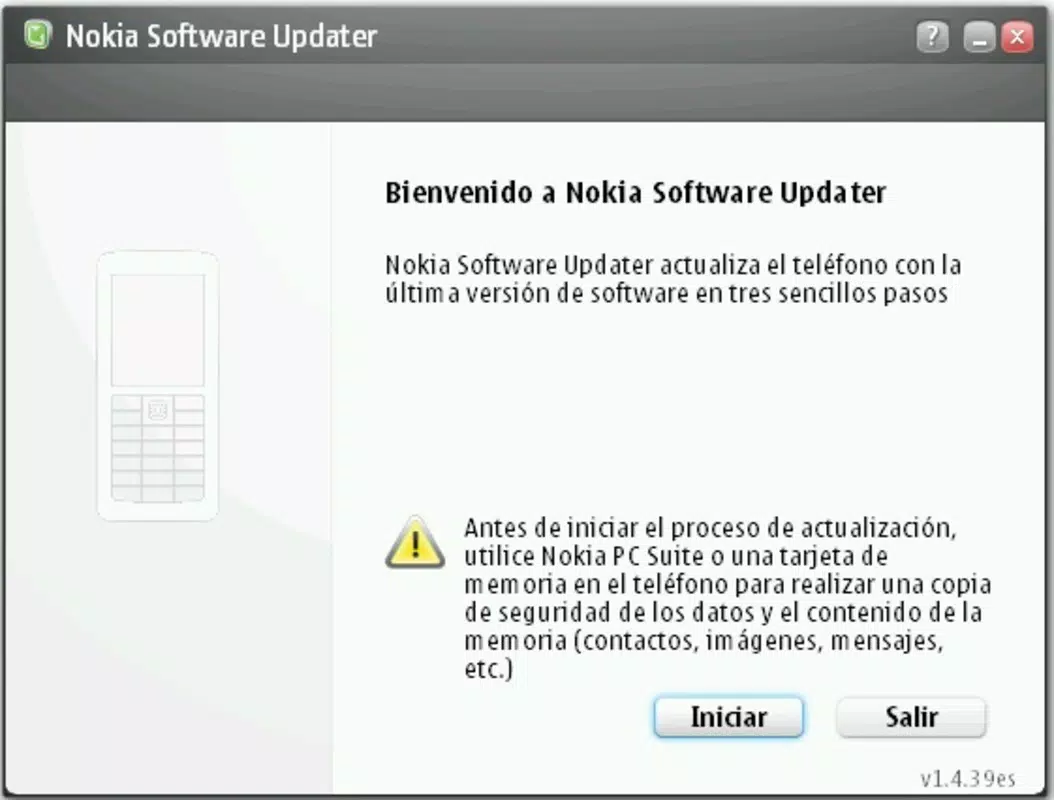
The interface of Nokia Software Update is designed with simplicity in mind. It features a clean layout with minimal visual clutter, focusing on essential controls such as “Check for Updates” and “Start Update.” Navigation is linear and intuitive, with clear labels and progress indicators that help users understand the current stage of the update process.
Although the developer did not list formal performance metrics, the app’s lightweight footprint of 2.5 MB suggests efficient resource usage. It is expected to run smoothly on older Windows systems, including Windows XP and Windows 7, which were prevalent at the time of its release. The application responds promptly to user inputs and maintains stability during the update cycle, with no reported crashes or freezes in available documentation.
Responsiveness is consistent across different device categories, particularly when paired with supported Nokia models. However, compatibility with newer Windows versions (e.g., Windows 11) was not confirmed. The app performs reliably under normal conditions, though users should ensure their computer’s USB ports are functioning properly to avoid connection issues.
Platform Compatibility & Technical Requirements
Nokia Software Update is designed exclusively for the Windows operating system. It is compatible with Windows XP, Windows Vista, and Windows 7, based on its release date and technical specifications. The app has a file size of 2.5 MB, making it easy to download and install without consuming significant storage space.
The software version is 2.2.2, indicating a mature release with established functionality. However, the developer did not specify minimum OS requirements or hardware specifications. Compatibility with newer Windows versions, such as Windows 10 or Windows 11, remains uncertain due to the absence of official support documentation.
Users should ensure their computer has a working USB port and that the Nokia phone is recognized in device manager. No additional software or drivers are required, as the app leverages standard Windows USB drivers for communication with the device.
Pros and Cons
Pros
- Free to download and use, with no hidden costs.
- Lightweight at just 2.5 MB, requiring minimal system resources.
- Simple USB-based update process with no complex setup.
- Automated search reduces user effort and improves update reliability.
- Accessible interface suitable for non-technical users.
Cons
- Only available for Windows, limiting cross-platform accessibility.
- Not officially supported on modern Windows versions like Windows 10 or 11.
- Release date of 2008 suggests outdated technology and potential security risks.
- Developer did not provide updated documentation or support channels.
- Compatibility with newer Nokia devices was not confirmed.
FAQ
Is Nokia Software Update safe to use?
The app is developed by Nokia and distributed through official channels. However, due to its age and lack of recent updates, users should exercise caution when downloading from third-party sites. Always verify the source to avoid malware.
Can I use this app on Windows 10 or Windows 11?
While the app was originally designed for older Windows versions, it may run on Windows 10 or 11 through compatibility mode. However, official support was not provided, and performance may vary.
Do I need special drivers to use the app?
No additional drivers are required. The app uses standard Windows USB drivers to communicate with the connected Nokia phone.
What happens if the update fails?
If an update fails, the app may prompt the user to retry or disconnect and reconnect the device. It is recommended to avoid interrupting the process to prevent potential device issues.
How often should I update my Nokia phone using this tool?
Regular updates are recommended to maintain device performance, security, and compatibility. However, users should only update when a new version is available and the device is properly charged.
Final Thoughts
Nokia Software Update remains a functional tool for users of older Nokia devices who rely on Windows computers for maintenance. Despite its age and limited compatibility with modern systems, it delivers on its core promise: simplifying firmware updates through automation and ease of use. Its lightweight design, free access, and straightforward interface make it a valuable resource for legacy device owners.
While newer alternatives may exist, this app continues to serve a niche audience seeking reliable, no-frills software updates. For those still using compatible Nokia phones and running older Windows systems, it offers a dependable way to keep devices running smoothly.
Download Nokia Software Update now


